Online professional training

From beginner to advanced AutoCAD Plant 3D user

Our online courses are designed to give you practical AutoCAD Plant 3D experience that you can apply in real situations.

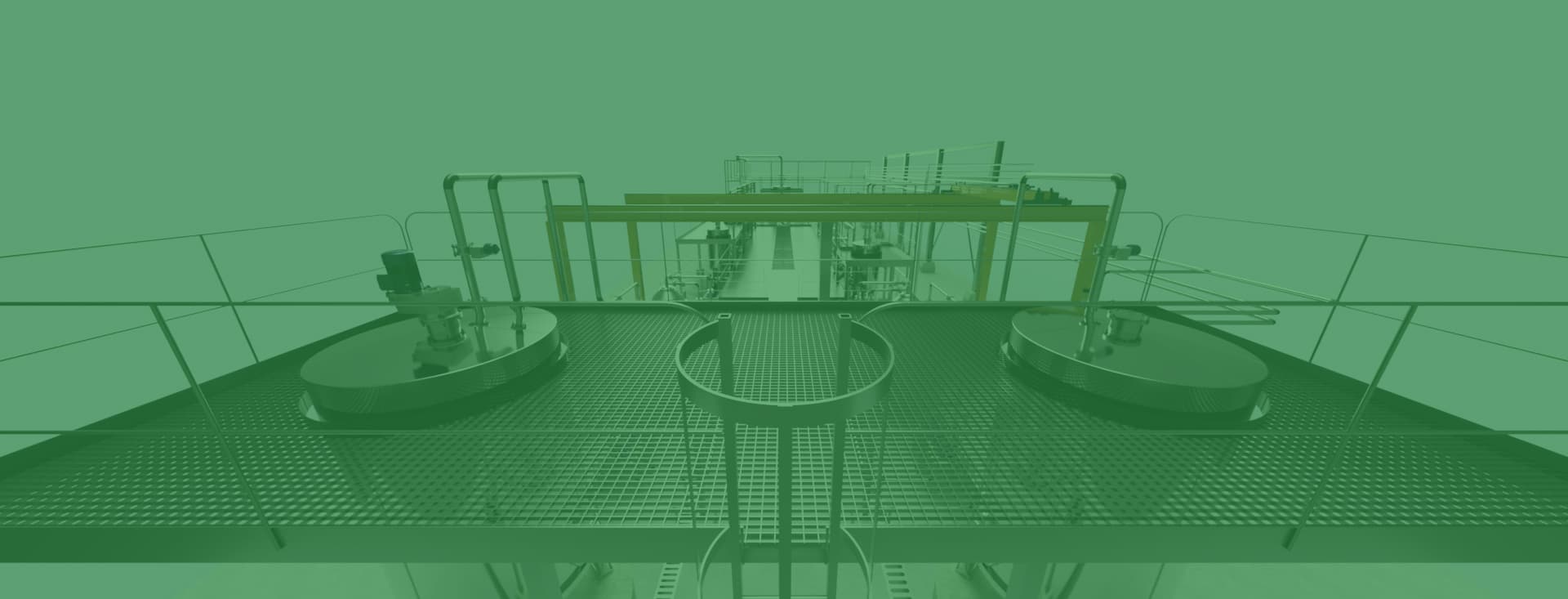
AutoCAD Plant 3D industrial model used in the course

Current course

Course 1: Plant 3D Essentials

A complete foundation in AutoCAD Plant 3D—from the interface and project setup to modelling, drawings, data management and quality review.

Included in the course

Foundational to advanced
On-demand video lessons
Available throughout the selected access period

Limitless Plant

You learn Plant 3D by using it

Plant 3D is not something you learn in a few days. It is something you improve at every day by working with it, having access to the right knowledge and receiving support when you need it.

Limitless Plant is built on that principle. Instead of compressing an extensive application and several areas of work into a few intensive course days, you receive online training that remains available throughout your development as a Plant 3D user.

Learn when you need it. Apply the knowledge directly at work. Repeat when necessary. Get support when you get stuck.

Course curriculum

One course. Three structured modules.

Course 1: Plant 3D Essentials · 34 lessons in total

1

Module 1 — Foundations

13 lessons
  1. 01Introduction to module 1
  2. 02AutoCAD Plant 3D user interface
  3. 03Project Manager
  4. 04Structure modelling
  5. 05Equipment modelling
  6. 06Introduction to Specs & Catalogs
  7. 07Custom Parts
  8. 08Pipe routing parts 1 & 2
  9. 09Isometrics
  10. 10Connection Settings
  11. 11Orthographic drawings
  12. 12Databases & Custom Properties
  13. 13Data Manager & Report Creator (Advanced)
2

Module 2 — Project standards and production

16 lessons
  1. 01Introduction to module 2
  2. 02Project setup
  3. 03Advanced Specs & Catalogs
  4. 04Valve and instrument databases
  5. 05Clamps in AutoCAD Plant 3D
  6. 06Plant 3D Shared Content Folder
  7. 07Branch Table Editor
  8. 08Bolt lengths in AutoCAD Plant 3D
  9. 09Project Properties
  10. 10Layer & Color Settings
  11. 11Title Blocks – Iso & Ortho
  12. 12Multiport valves
  13. 133D modelling
  14. 14Producing drawings
  15. 15AcCoreConsole & batch drawing update
  16. 16Bills of materials and delivery
3

Module 3 — Review and quality control

5 lessons
  1. 01Introduction to module 3
  2. 023D model review
  3. 03Isometric review
  4. 04Orthographic drawing review
  5. 05Bill of materials review

Course reviews

What participants say

Experiences from participants who have completed the training.

4.8 / 5

18 ratings · 13 written reviews

Swipe or use the arrows to read more

5/5
I went from beginner to advanced on my own terms! I warmly recommend Limitless Plant to anyone who wants to learn AutoCAD Plant 3D. The course is structured logically, step by step, and focuses on how the software is actually used in industry rather than just dry theory. It is fantastic to be able to pause, rewind and schedule the study time entirely yourself.

Alexander

5/5
A really good course whether you are completely new or an experienced Plant 3D user. It covers everything from simple commands and tips to more advanced scripts and the Catalog Editor.

Course participant

5/5
A highly educational course. It covers virtually everything relevant to a piping designer. It is well-structured, featuring clear explanations and numerous practical examples that make it easy to apply the knowledge directly to your daily work.

Dominic

5/5
A very good way to get started with AutoCAD Plant 3D. The concept works well, the teaching is excellent and the course is easy to follow. It is worth its weight in gold even if you already have experience with CAD or AutoCAD specifically, as I did.

Course participant

5/5
A well-executed training course with a clear and instructional structure. The instructor explained things clearly and engagingly. The course covered the fundamentals needed to start working with Plant3D. There was good communication with the instructor throughout the course, making it easy to get quick help if I got stuck or had any questions.

Pär

5/5
Course content relevant for both users and administrators. Step-by-step instructions with clear walkthroughs. It quickly elevates a beginner to the next level. You can pause and resume the course to fit your workload.

Erling

5/5
Easy to follow. Instructive teacher.

Ann-Charlotte

5/5
Limitless Plant is professionally built while remaining easy to understand. The content is well considered and user-friendly.

Course participant

5/5
A course that suits both new Plant 3D users and those who already have basic knowledge of the software. The explanations and walkthroughs are very clear, and I still use the code supplied as additional material in my projects. The exercises make it especially educational: you can try them yourself first and then work through them in the video.

Course participant

4/5
The course gave me an overall understanding of the software's areas of application while also going into depth on how it works.

Course participant

5/5
It is easy to use and contains very useful information.

Andreea

5/5
The course made me more confident using the software, and I thought the structure was good. More people should take the course to refresh their memory and strengthen their knowledge!

Course participant

4/5
Bra och tydligt.

Course participant

Learning progression

From beginner to advanced Plant 3D user

The course offering is designed as a growing learning path in which future courses progress toward more advanced areas of knowledge.

01Available now

Course 1

Plant 3D Essentials

02Coming soon

Course 2

AutoCAD Plant 3D P&ID

In development

03

Course 3

Stay tuned for more information

Planned course

04

Course 4

Keep an eye out—the best is yet to come!

Planned course

A new and structured path to AutoCAD Plant 3D

Training designed around how professionals learn and work

Learn whenever you want — High-quality lessons

Instead of classroom or Teams training that can be demanding and time-consuming, we give you the flexibility to learn at your own pace and on your own terms. The platform is always available, and timestamps make it easy to revisit specific sections.

Complete training — Step by step

From the fundamentals to advanced techniques, our step-by-step lessons help you become proficient in AutoCAD Plant 3D. Every lesson is designed to provide a complete understanding of the subject and a clear path toward success.

Realistic walkthroughs — Practical application

Traditional classroom training often works well in theory but can be difficult to apply in practice. Our courses focus on real AutoCAD Plant 3D applications and prepare you for challenges you will encounter at work.

Efficient and affordable — Consistent quality

Progress from beginner to advanced AutoCAD Plant 3D user for a fraction of the cost of traditional training. Our fixed-price training provides a cost-effective path without compromising quality.

Pricing plans

Choose how long you want access

Compare the total price, monthly price and how long you have access to the course.

Access ends automatically when the period expires. The subscription does not renew automatically.

Popular choice

Premium

6 months of access

Course 1

Total price

9,570 SEK

1,595 SEK per month

  • Module 1
  • Module 2
  • Module 3
  • Script files and resources

Standard

3 months of access

Course 1

Total price

7,485 SEK

2,495 SEK per month

  • Module 1
  • Module 2
  • Module 3
  • Script files and resources

Basic

1 month of access

Course 1

Total price

4,995 SEK

4,995 SEK per month

  • Module 1
  • Module 2
  • Module 3
  • Script files and resources

Ready to get started?

Register directly, or follow our guide to see how the complete process works.

Frequently asked questions

Information before registration

Answers about the training format, course content, support and how Limitless Plant is used in practice.

Build stronger Plant 3D capability

Review the complete course curriculum and choose the access period that suits you.